Upload and convert a 1099 file
To convert a 1099 file to IRIS format, drop it on the IRISfile dashboard. IRISfile accepts FIRE fixed-width files, CSV, and Excel. It checks every record against the IRS rules, then builds the IRIS A2A XML. Nothing goes to the IRS until you choose File with the IRS.
All help articlesLast reviewed October 2026
Steps
1. Drop your file on the dashboard
Sign in and open the dashboard. Drag your file onto the upload area, or click it to choose a file.
IRISfile accepts .fire, .txt, .csv, .xlsx, and .xls files. You can drop several files at once. Each file can be up to 50 MB.
Starting from a spreadsheet? Download the Excel or CSV template from the dashboard, keep its header row, and paste your data under it. The IRS Portal templates for 1099-NEC and 1099-MISC also work as they are.
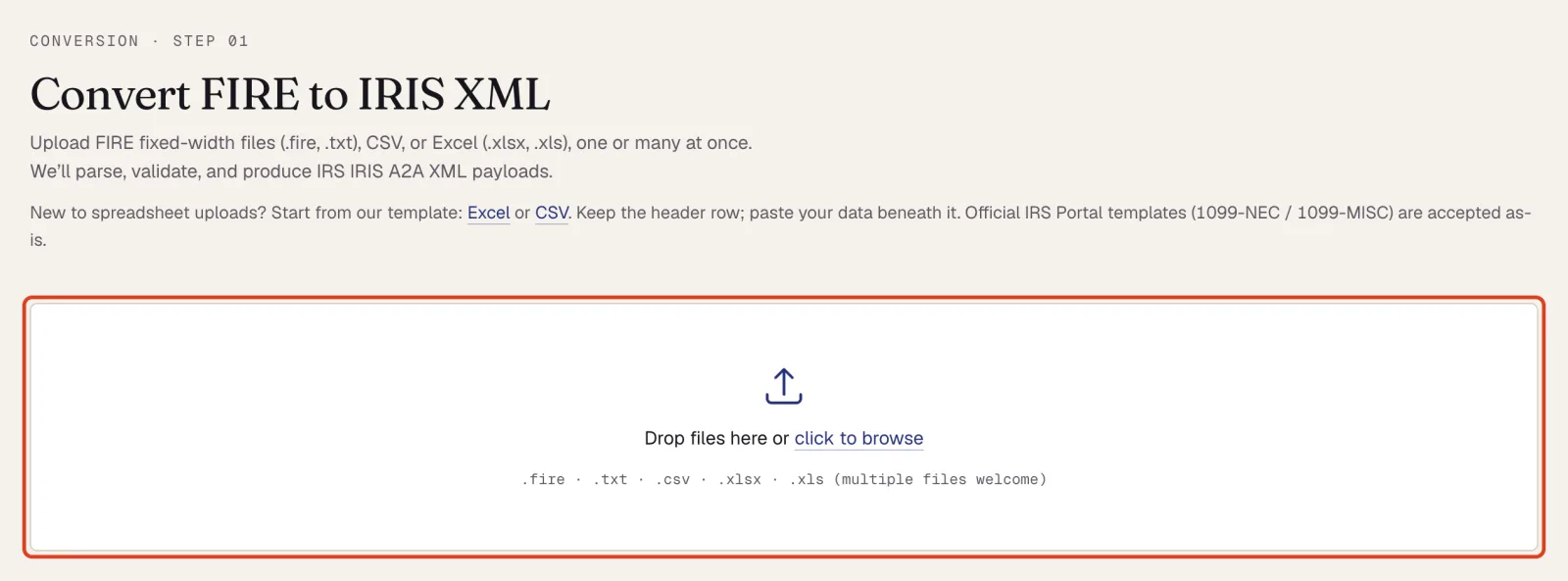
The dashboard with the upload area outlined. 2. Check the converted records
IRISfile shows how many records it read and lists each one. The table shows the form, tax year, payee, the last four digits of the TIN, the address, and the amount.
When every record passes, the download buttons appear above the table. If any record fails, see Fix validation errors.
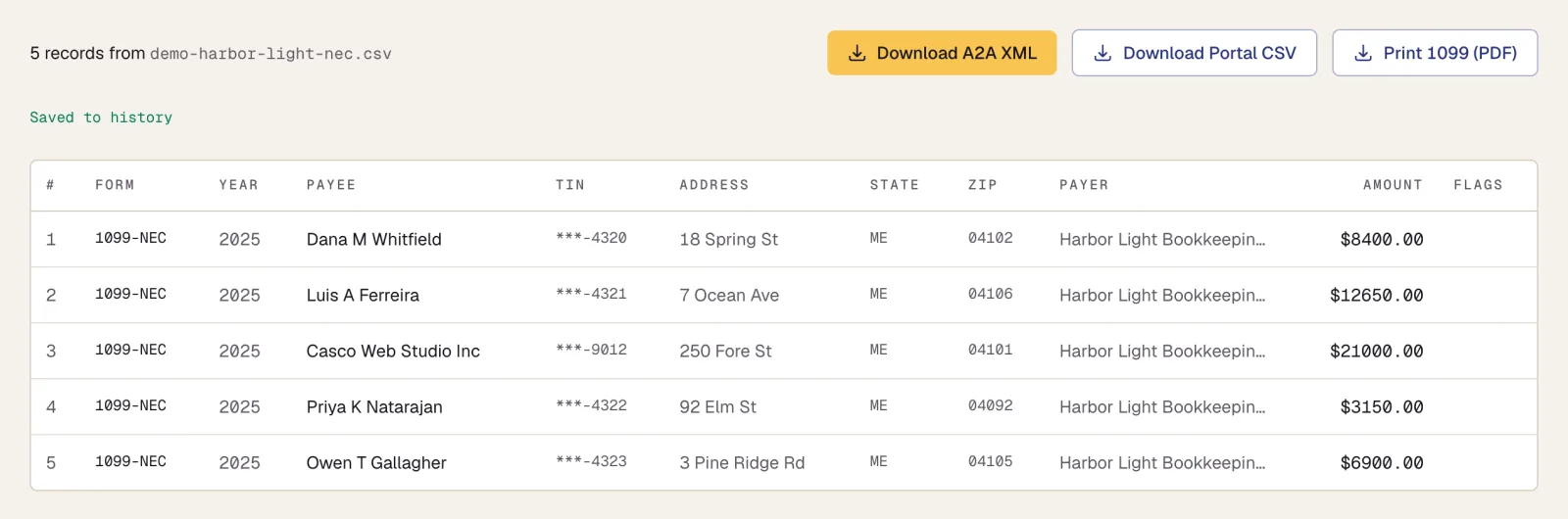
A clean file: record count, the three download buttons, and the record table. 3. Find the file in IRS Files
Every upload is saved to IRS Files on the same page, under the payer's name. XML READY means the file passed and the XML is stored.
IRISfile splits a file with more than one payer EIN into a separate file per payer, so each client's returns stay separate.

The file saved to IRS Files with status XML READY.
Questions
- Which 1099 forms can IRISfile convert and file?
- IRISfile files 1099-NEC, MISC, INT, and DIV originals as IRIS A2A XML. It also files 1099-R when the record carries a box 7 distribution code. It does not file 1099-S, 1099-B, corrections, or voids yet.
- Does uploading a file send anything to the IRS?
- No. Uploading converts and checks the file only. Filing is a separate step: the File with the IRS button on the file's row.
- What is the largest file I can upload?
- 50 MB per file. You can upload several files in one drop.
Try it on a file you already have.
Get notified